discretize.mixins.vtkModule.vtkInterface
-
class
discretize.mixins.vtkModule.vtkInterface[source]¶ Bases:
objectThis class is full of methods that enable
discretizemeshes to be converted to VTK data objects (and back when possible). This is inherritted by thediscretize.BaseMesh.BaseMeshclass so all these methods are available to any mesh object!CurvilinearMesh,TreeMesh, andTensorMeshare all currently implemented. TheCylMeshis not implemeted and will raise and excpetion. The following is an example of how to use the VTK interface to construct VTK data objects or write VTK files.import discretize import numpy as np h1 = np.linspace(.1, .5, 3) h2 = np.linspace(.1, .5, 5) h3 = np.linspace(.1, .8, 3) mesh = discretize.TensorMesh([h1, h2, h3]) # Get a VTK data object dataset = mesh.toVTK() # Save this mesh to a VTK file mesh.writeVTK('sample_mesh')
Note that if your mesh is defined on a reference frame that is not the traditional <X,Y,Z> system with vectors of \((1,0,0)\), \((0,1,0)\), and \((0,0,1)\), then the mesh will be rotated to be on the traditional reference frame. The previous example snippet provides a
vtki.RectilinearGridobject because that tensor mesh lies on the traditional reference frame. If we alter the reference frame, then we yield avtki.StructuredGridthat is the same mesh rotated in space.# Defined a rotated reference frame mesh.axis_u = (1,-1,0) mesh.axis_v = (-1,-1,0) mesh.axis_w = (0,0,1) # Check that the referenc fram is valid mesh._validate_orientation() # Yield the rotated vtkStructuredGrid dataset_r = mesh.toVTK() # or write it out to a VTK format mesh.writeVTK('sample_rotated')
The two above code snippets produce a
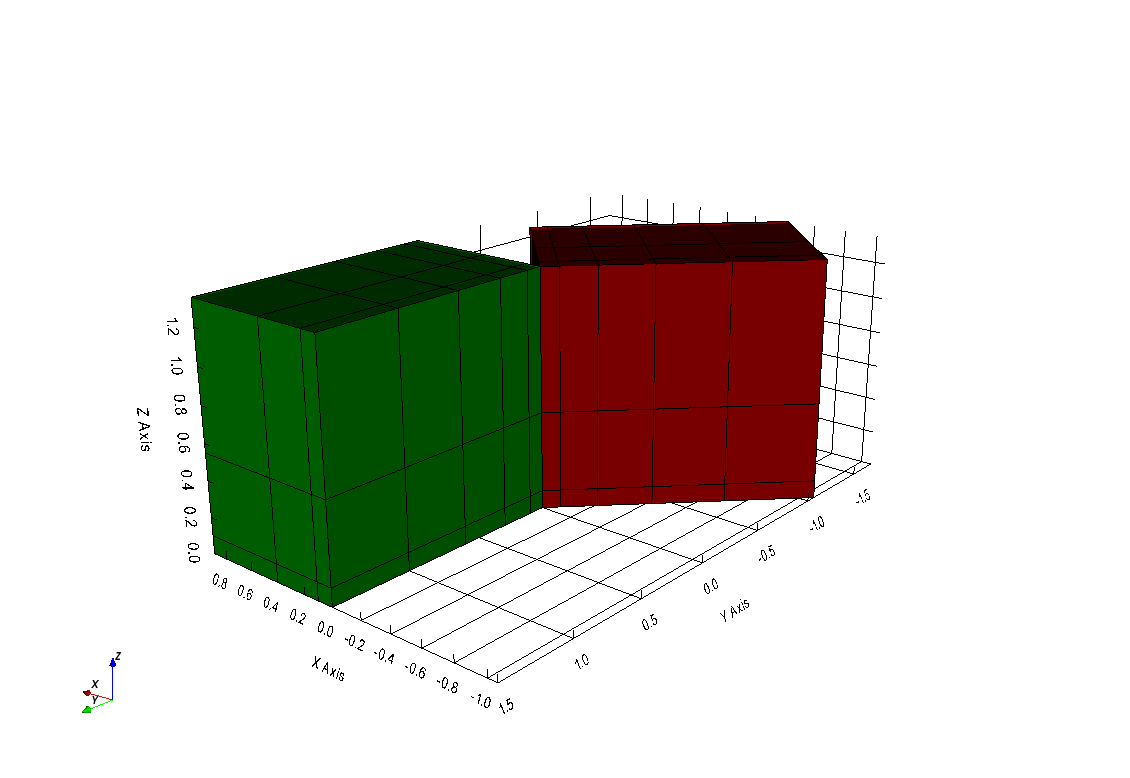
vtki.RectilinearGridand avtki.StructuredGridrespecitvely. To demonstarte the difference, we have plotted the two datasets next to eachother where the first mesh is in green and its data axes are parrallel to the traditional cartesian reference frame. The second, rotated mesh is shown in red and its data axii are rotated from the traditional cartesian refence frame as specified by theaxis_u,axis_v, andaxis_wproperties.import vtki vtki.set_plot_theme('document') p = vtki.BackgroundPlotter() p.add_mesh(dataset, color='green', show_edges=True) p.add_mesh(dataset_r, color='maroon', show_edges=True) p.show_grid() p.screenshot('vtk-rotated-example.png')
Attributes
Methods
-
vtkInterface.toVTK(models=None)[source]¶ Convert this mesh object to it’s proper
vtkidata object with the given model dictionary as the cell data of that dataset.Parameters: models (dict(numpy.ndarray)) – Name(‘s) and array(‘s). Match number of cells